
Make a Picture From Words: An AI Image Maker for Cards, Wishes and Flipbooks
Sometimes the photo you need does not exist. A kite over a Diwali sky, a cartoon bear in a Santa hat, a cosy window on a rainy night. Make a picture in ShareGreet turns a few words into a picture, in the style you choose.
How it works
- Open the Create tab and choose Photos & Cards, then Make a picture.
- Type what you want to see, in your own language.
- Pick a style. Each style is shown as a small picture of how it draws, so you do not have to guess from a name.
- Tap Make. You get two pictures to choose from.
- Tap a picture to see it full screen. Press Use this to put it on a card, or save it.
Styles shown as pictures
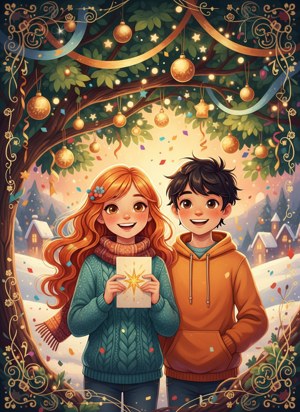
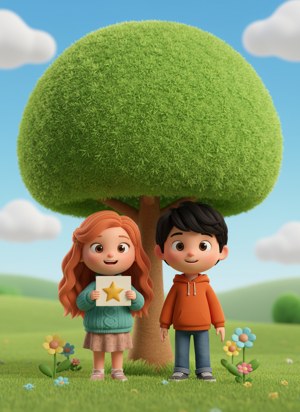
The first two are Festive (warm, golden, ready for a card) and Cartoon 3D (round, friendly, good for children). The sketch looks from story sketches are there too.
Your pictures are saved
Every picture you keep goes to My pictures, so you can come back to it, open it full screen, use it on a card or delete it.
Cost and limits
- One credit makes two pictures. There is no free trial for this tool.
- If no picture could be made, the credit comes back.
- It will not draw real or famous people. Use your own photo on a card for that.
Want a card around the picture? Read how to make a free greeting card with your photos.
Frequently asked questions
What is Make a picture?
A tool in ShareGreet that turns a few words into a picture, in a style you choose.
How many pictures do I get?
Two to choose from for each try, for one credit.
Can I use the picture on a card?
Yes. Open the picture full screen and press Use this to start a card with it.
Where are my pictures kept?
In My pictures. You can open, use or delete them there.
Can it draw a real person?
No. It does not draw real or famous people. Put your own photo on a card instead.
Does it work in my language?
Yes. You can describe the picture in your own language.
More articles
- Save Your Characters and Use Them in Every Wish, Dance and Video
- New Year, Christmas and Eid Wishes a Character Says in Your Language
- Conversation Cards: A Different Voice for Each Character
- Greet My Circle: Send Every Festival Wish in One Minute, in Everyone's Language
- AI Video Styles: 37 Looks From Realistic and Anime to Clay and Watercolour