
A Free Greeting Card Maker: Your Words, Your Photos, No AI
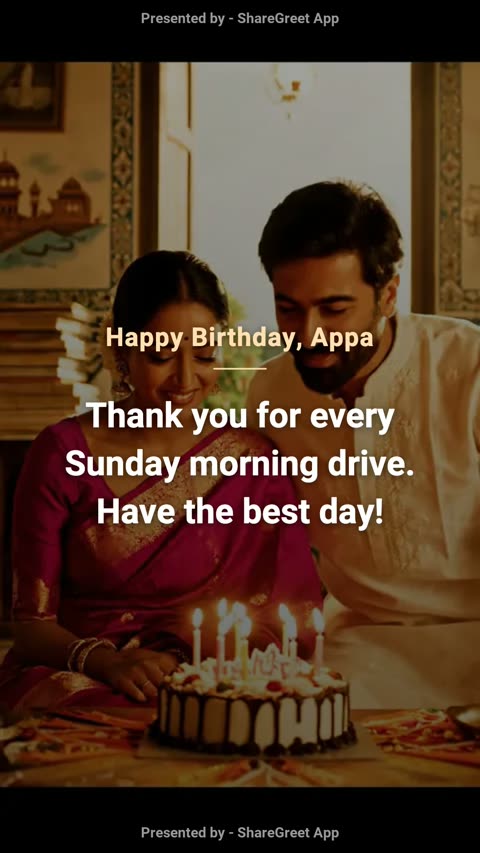
Not every greeting needs artificial intelligence. Sometimes you already know exactly what you want to say, and you have the photo to go with it. ShareGreet's free card maker is for those moments: you write the words, you pick the photo, and the app turns them into a short, shareable card. It does not use AI and it does not spend any credits.
What a ShareGreet card is
A card is a short vertical video, about six to ten seconds long, that shows your message over your photo or over a colored theme. It plays on any phone from a simple link, so the person you send it to does not need to install anything. You can also download it, print a version of it, or schedule it to open at a set time.
How to make one
- Open the Create tab and tap Make a card. You need a free account to create, but anyone can open the finished card.
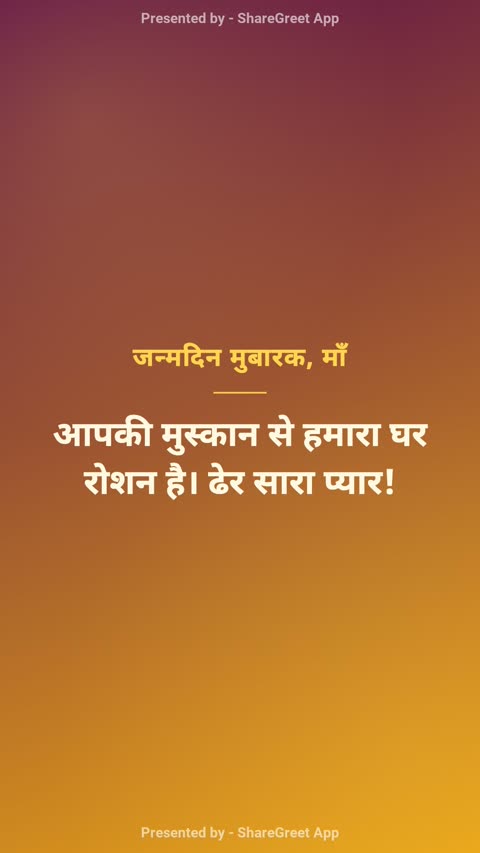
- Pick a theme: Sunrise, Diya, Garden, Ocean, Midnight or Blossom.
- Add an optional title (up to 60 characters) and your message (up to 280 characters).
- Add up to five photos if you like. The first one sits behind your message; the rest follow as plain slides.
- Choose music (none, Warm, Uplifting, Calm or Festive) and tap Create card.
Your card is made in the background, usually in well under a minute, and it appears in your profile. You get a notification when it is ready.
Which languages and scripts work
Cards are drawn with proper text shaping, so Hindi, Marathi, Bengali, Gujarati, Punjabi (Gurmukhi), Tamil, Telugu, Kannada and Malayalam all display correctly, along with Latin-script languages such as English, Spanish and Portuguese. Other scripts, such as Arabic, Chinese or Thai, are not supported in cards yet.
Writing a message that lands
- Use their name or what you call them. “Appa” reads warmer than “Dear father.”
- Include one real detail. The Sunday drive, the burnt first batch of laddoos, the song they hum.
- Keep it short. A card is read in seconds, so one or two sentences is plenty.
For more on phrasing, see how to write a heartfelt message.
After you make it
Send the link on WhatsApp or anywhere else, or download the video. You can also print it as a 5×7 card with a QR code, or schedule it to open at midnight. If you want something with more pages, try a flipbook, and if you want the app to write and narrate a whole story, see how cards compare with flipbooks and AI stories.
Frequently asked questions
Is the card maker really free?
Yes. Cards use no AI, so they do not spend credits. There is a daily limit on free cards and flipbooks (15 a day) to keep the service fair.
Do I need an account to make a card?
You need a free account to create one. The person receiving it only needs the link.
Can I add my own music or voice?
Cards offer a small set of built-in background music moods. Recording your own voice is available in AI stories, not in cards.
More articles
- Greet My Circle: Send Every Festival Wish in One Minute, in Everyone's Language
- AI Video Styles: 37 Looks From Realistic and Anime to Clay and Watercolour
- AI Video Prompt Builder: Write a Better Prompt for Any Video Tool
- Which AI Video Tool Should I Use? A Simple Guide to Every ShareGreet Video Maker
- Replace a Character in a Video With AI: Swap a Person for a Pet, Toy or Cartoon