
Animate a Picture: Turn Any Photo Into a Short Video With One Line of Words
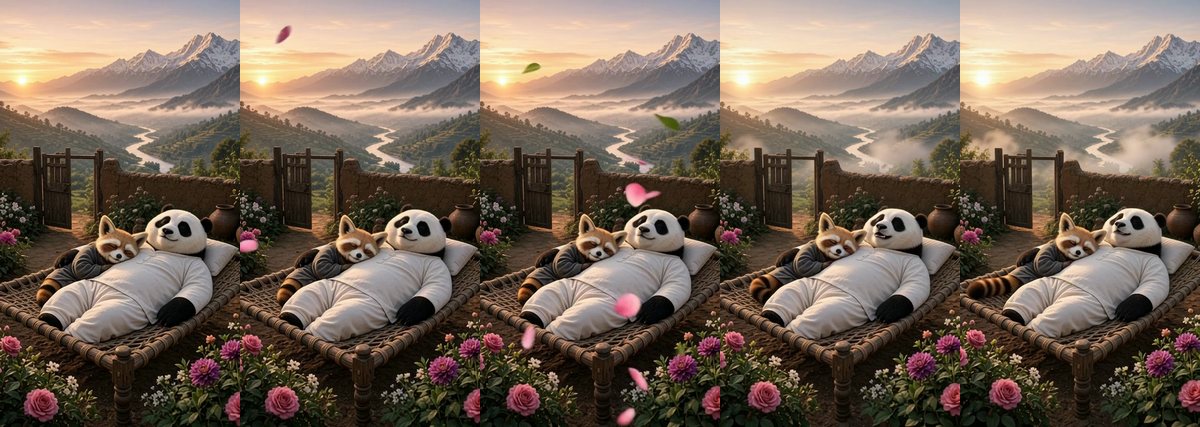
A still picture can feel alive with very little: wind in the petals, mist drifting over a valley, a gentle breath from a sleeping animal. Animate a picture does exactly that. You choose a picture, say in one line what should happen, and ShareGreet makes a 5 or 8 second video of that picture coming to life, with soft sounds that fit the scene.
How to make one
- Open Create, go to the AI Video tab and tap Animate a picture. You can also type something like 'bring my photo to life' in the box at the top of Create.
- Tap Choose a picture. We check it straight away, so if it cannot be used you see why before you wait for anything.
- Write what should happen. One line is enough: 'sleeps peacefully, the wind blows and the petals sway'. Leave it empty and the air, light and leaves move softly on their own.
- Pick 5 or 8 seconds and a quality. You see the price in credits before you start.
- Tap Animate my picture. You can close the app: a tile marked Generating appears in your Profile, and we tell you when it is ready.
Four qualities, one price you can see first
| Quality | Credits per second | 5 seconds | 8 seconds |
|---|---|---|---|
| Normal 360p (the default) | 1 | 5 credits | 8 credits |
| HD 720p | 3 | 15 credits | 24 credits |
| Full HD 1080p | 5 | 25 credits | 40 credits |
| 4K | 9 | 45 credits | 72 credits |
Start at Normal 360p to try an idea cheaply, then make the one you love in HD or higher. The next story shows the same picture at all four sizes: Animate a picture, four qualities compared.
Pictures that work well
- Scenes with something to move: a garden, a river, clouds, curtains, snow, candles, a festival courtyard.
- Paintings and AI pictures as well as photos. The video keeps the same look, subjects and framing as your picture.
- Calm subjects: sleeping, smiling, looking up, a slow turn of the head. Gentle movement looks the most natural.
What to know
- The video has soft ambient sound, no talking and no music.
- Use pictures that are yours, or that you have the right to use. You confirm this before you start.
- Photos of children, well-known real people and anything that is not family-friendly are refused, and the finished video is checked too.
- If a video cannot be made, your credits come back.
Want to try it right now? Open Animate a picture or look for ideas in 12 one-line ideas to animate your pictures.
Frequently asked questions
How long is the video?
5 or 8 seconds. It has soft sounds that fit the scene and no talking.
How much does it cost?
At the default Normal 360p it is 1 credit per second, so 5 credits for 5 seconds and 8 credits for 8 seconds. HD 720p is 3 credits per second, Full HD 1080p is 5 and 4K is 9. You see the price before you start.
Can I use any picture?
Use your own photos, paintings and made-up characters, or pictures you have the right to use. Nudity, photos of children and well-known real people are not allowed.
What if I do not write anything?
The air, light and leaves in the picture move softly on their own, which already looks lovely for landscapes and garden scenes.
Do I get my credits back if it fails?
Yes. If a video cannot be made, the credits are returned.
More articles
- Greet My Circle: Send Every Festival Wish in One Minute, in Everyone's Language
- AI Video Styles: 37 Looks From Realistic and Anime to Clay and Watercolour
- AI Video Prompt Builder: Write a Better Prompt for Any Video Tool
- Which AI Video Tool Should I Use? A Simple Guide to Every ShareGreet Video Maker
- Replace a Character in a Video With AI: Swap a Person for a Pet, Toy or Cartoon