
Flipbook Video: What HD and 4K Cost
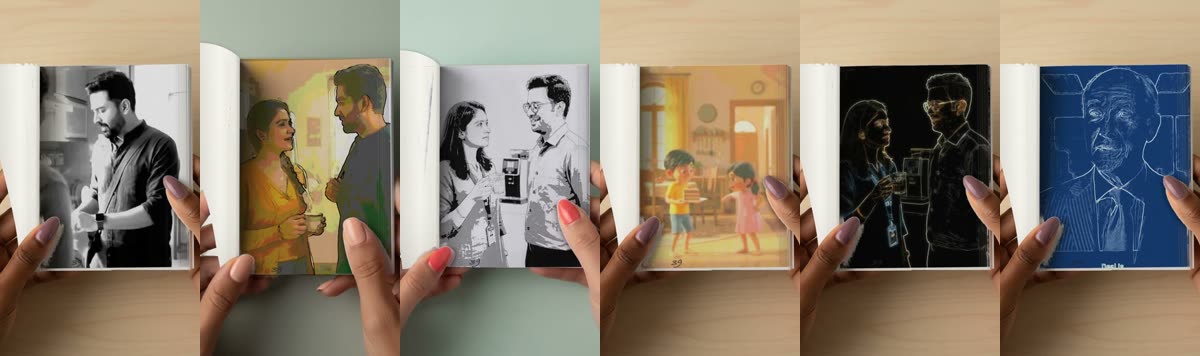
Flipbook videos have two qualities. HD is free. 4K is sharper and uses credits. You always see which one you chose before you tap Make my flipbook.
HD: free
- Up to 60 seconds of video.
- All 17 looks, including the four cut-out looks.
- Up to ten flipbook videos a day.
4K: credits
- 1 credit for every 2 seconds of video, up to 60 seconds, so a 60 second video is 30 credits.
- 2 credits for every 2 seconds for the four cut-out looks, which take up to 30 seconds in 4K (also up to 30 credits).
- The length is rounded up to the next 2 seconds.
If it does not work
If a flipbook video fails, the credits come back to your balance and we tell you. Your Profile shows a Generating tile while it is made, so you can see it has not been lost.
Why does 4K cost more?
4K pages are larger, so the picture takes more computing power to draw. The cut-out looks need an extra step: each page is drawn first, then put into the book. We charge credits to cover that.
More about credits: credits and free generations, explained.
Frequently asked questions
How much does a 4K flipbook video cost?
1 credit for every 2 seconds of video, or 2 credits for every 2 seconds for the cut-out looks.
Is HD really free?
Yes. HD flipbook videos are free for up to 60 seconds, ten a day.
What if it fails?
The credits come back to your balance.
How long can a 4K cut-out video be?
Up to 30 seconds. Other 4K looks take up to 60.
More articles
- Greet My Circle: Send Every Festival Wish in One Minute, in Everyone's Language
- AI Video Styles: 37 Looks From Realistic and Anime to Clay and Watercolour
- AI Video Prompt Builder: Write a Better Prompt for Any Video Tool
- Which AI Video Tool Should I Use? A Simple Guide to Every ShareGreet Video Maker
- Replace a Character in a Video With AI: Swap a Person for a Pet, Toy or Cartoon