
Add an AI Voice That Reads Your Card or Flipbook Aloud
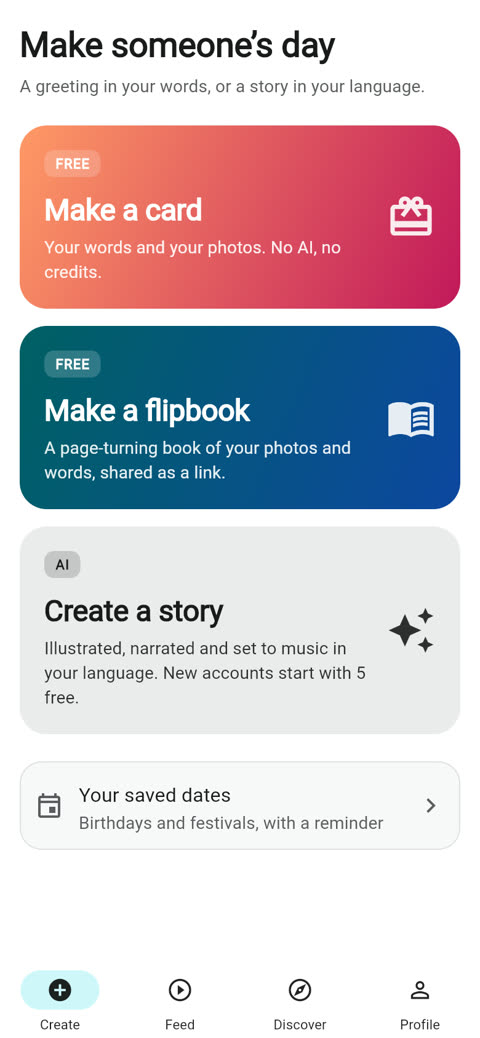
A card you can read is nice. A card that speaks is the one people play twice. On ShareGreet you can add an AI voice to a card or a flipbook, and it reads your own words aloud. It speaks the language you wrote them in, so a Hindi message is read in Hindi.
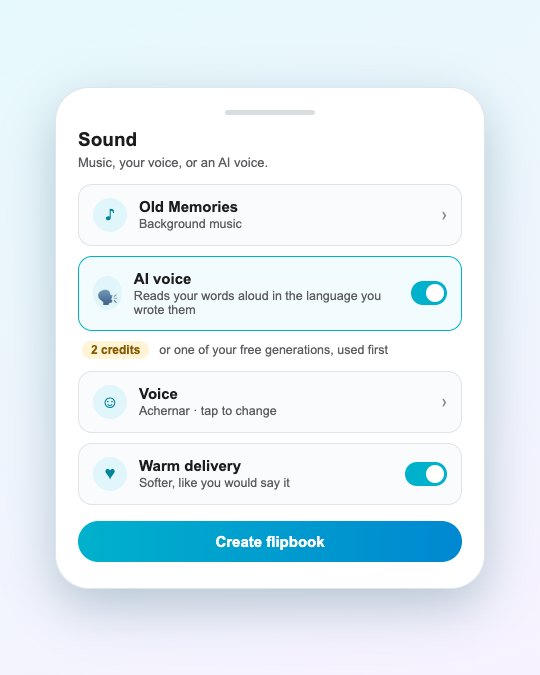
How to turn it on
- Open Make a card or Make a flipbook and write your words.
- Scroll to Sound.
- Switch on AI voice. Choose a voice, and choose plain or warm delivery.
- Create it. The voice is recorded when the card or flipbook is made.
What gets read
For a card, the title and your message. For a flipbook, the cover title, each page’s caption in order, and then the closing message. Photos are not described. If a page has no words, it adds nothing to the voice.
What it costs
An AI voice uses 1 credit for a card and 2 credits for a flipbook. If you still have free generations, one is used first, so your first try can cost nothing. The price is shown on the switch before you commit, and if the creation fails the credits are returned. See credits and free generations explained.
Everything else stays free: the cards and flipbooks themselves, the 16 music tracks, recording your own voice, the print PDF, and downloading a flipbook as a video.
AI voice, your voice, or none
| Choice | Cost | Best for |
|---|---|---|
| Your own voice | Free | A message from you to someone who loves your voice |
| AI voice | 1 credit (card) or 2 (flipbook) | A language you do not speak well, or when you cannot record |
| No voice | Free | A quiet card with music, read on the phone |
You can use one voice at a time. If you record your own, the AI voice option steps aside. Details on recording are in record your own voice.
Tips for a good reading
- Write in short sentences. They are read at a natural pace.
- Use full stops and commas where you want a pause.
- Keep names spelled as they sound in that language.
- Try the warm option for a birthday or an anniversary and plain for a notice or a thank-you.
Frequently asked questions
What language does the AI voice speak?
The language your words are written in. A Hindi message is read in Hindi, and a Tamil message in Tamil.
How much does an AI voice cost?
1 credit for a card and 2 credits for a flipbook. A free generation is used first if you have one.
What if the voice fails to generate?
The credits are returned to your balance automatically.
Can I use my own voice instead?
Yes. Recording your own voice is free. You can use your own voice or an AI voice, not both on the same card.
More articles
- Greet My Circle: Send Every Festival Wish in One Minute, in Everyone's Language
- AI Video Styles: 37 Looks From Realistic and Anime to Clay and Watercolour
- AI Video Prompt Builder: Write a Better Prompt for Any Video Tool
- Which AI Video Tool Should I Use? A Simple Guide to Every ShareGreet Video Maker
- Replace a Character in a Video With AI: Swap a Person for a Pet, Toy or Cartoon