
Stuck for Words? Let Help Me Write Draft Your Greeting
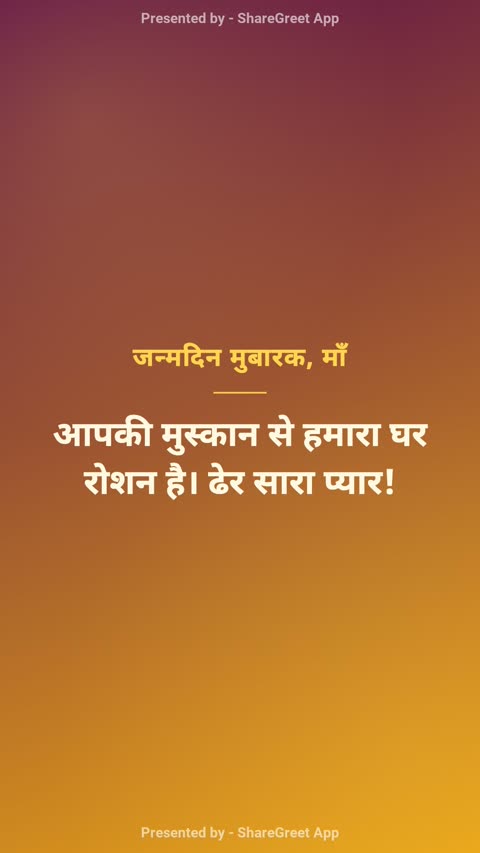
You know who the card is for and what the day is. You do not know how to begin. That blank box is where most greetings stall. Help me write is a free tool inside the card and flipbook builders that gives you a first draft in a style and language you choose, so you are editing instead of staring.
Where to find it
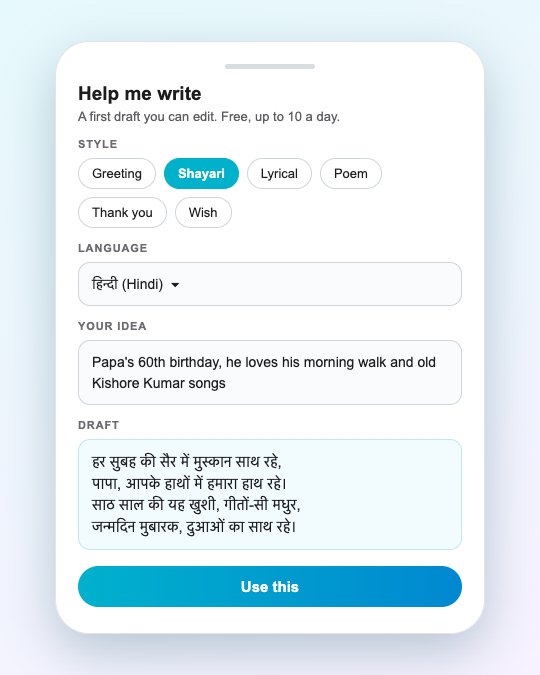
In the card builder it sits under the message box. In the flipbook builder it sits under the closing message. Tap Help me write and a sheet opens.
What you choose
- A style: Greeting, Shayari, Lyrical, Poem, Thank you or Wish.
- A language: pick from the list, so a Hindi shayari comes out in Devanagari and a Tamil wish comes out in Tamil.
- Your idea: a line or two about the person and the moment, such as “my father’s 60th, he loves old Kishore Kumar songs and his morning walk.”
The draft is cut to fit the box, so a card message stays within its limit and a flipbook closing stays within its own. Nothing is posted anywhere. You see the text, and you decide whether to use it.
Making the draft sound like you
- Put one real detail in your idea. A name, a habit, a shared joke. A draft built on a detail is warmer than one built on “happy birthday.”
- Edit the first line. That is the part people read. Say it the way you would say it out loud.
- Delete what you would never say. If a phrase feels like a stranger wrote it, remove it.
- Translate only at the end. If you want the same message in two languages, finish the first one, then use the translate button.
For more on what makes a message land, read how to write a heartfelt message.
What it costs
Nothing. Help me write is free, with a limit of 10 drafts a day so it stays available for everyone. It does not use a free generation or a credit.
Then add a voice
Once the words are right, you can have them read aloud. See how to add an AI voice, or record your own.
Frequently asked questions
Is Help me write free?
Yes. It is free and does not use credits or free generations. There is a limit of 10 drafts a day.
Which languages does it write in?
You pick a language from a list in the sheet, including Hindi and other Indian languages, and the draft comes back in that language.
Can I edit the draft?
Yes. The draft is placed in your message box, where you can change any word before you create the card or flipbook.
Does it post anything for me?
No. It only fills your message box. You still choose to create and share.
More articles
- Greet My Circle: Send Every Festival Wish in One Minute, in Everyone's Language
- AI Video Styles: 37 Looks From Realistic and Anime to Clay and Watercolour
- AI Video Prompt Builder: Write a Better Prompt for Any Video Tool
- Which AI Video Tool Should I Use? A Simple Guide to Every ShareGreet Video Maker
- Replace a Character in a Video With AI: Swap a Person for a Pet, Toy or Cartoon