
Make a Character Dance Your Moves: Restyle My Video With a Character
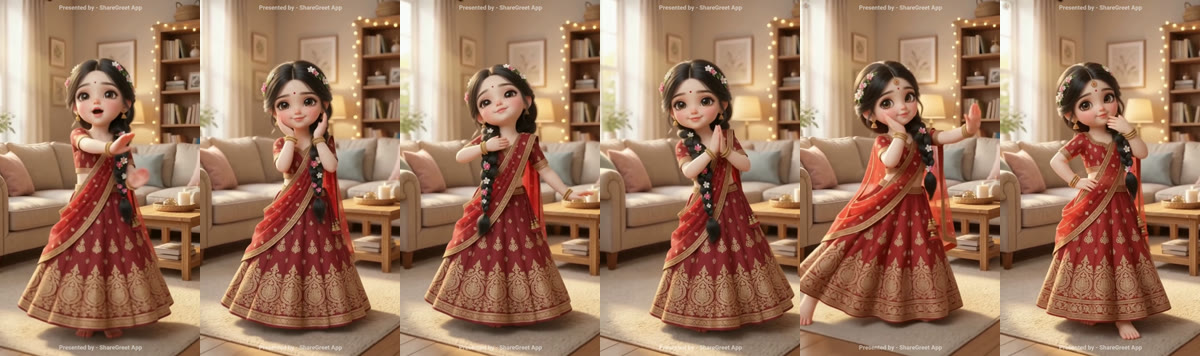
Restyle my video takes a short clip of someone moving and gives the same moves to a character: a doll-like girl, a boy in a kurta, a grandmother or your own drawn character. The timing, the camera and the room stay as they were.
How to make one
- Open the + button and tap Restyle my video.
- Pick a clip of 3 to 15 seconds with one person doing the moves, full body, and a steady camera.
- Switch to my character and pick a character from the row of ready characters, or choose your own picture.
- If you like, add a note such as "gentle smile, skirt swinging softly". The character keeps its own look, so there is no look to choose.
- Confirm the video is yours, then tap make. It takes 10 to 20 minutes in the background.
What it costs
- 3 credits for every second of video, so a 15-second clip is 45 credits.
- Credits come back if the video cannot be made.
- Up to eight restyles a day.
Tips for a better result
- A plain room and good light help the character match the person's moves. The full how-to covers both ways to restyle.
- Pick a character that is close in style to your clip: a doll-like character for a cartoon dance, a realistic one for a real-person clip.
- Full-body character pictures with open arms and a clear face work best.
What to know
- The moves, expressions and mouth movements are copied, and your original sound stays. The face is matched closely, not exactly. For a character that speaks your words, use Talking wish.
- If the picture does not show the whole character, we make a whole-body version first.
- Your own pictures go through a family-friendly check as soon as you choose them.
Frequently asked questions
How long can the clip be?
From 3 to 15 seconds.
How much does it cost?
3 credits a second, so 45 credits for 15 seconds. Credits come back if it fails.
Which characters can I use?
Any of the 37 ready characters, your saved characters, or your own picture after the safety check.
Will my own sound stay?
Yes. The dance is copied onto the character and your original sound is kept. To make a character say new words, use Talking wish.
More articles
- Greet My Circle: Send Every Festival Wish in One Minute, in Everyone's Language
- AI Video Styles: 37 Looks From Realistic and Anime to Clay and Watercolour
- AI Video Prompt Builder: Write a Better Prompt for Any Video Tool
- Which AI Video Tool Should I Use? A Simple Guide to Every ShareGreet Video Maker
- Replace a Character in a Video With AI: Swap a Person for a Pet, Toy or Cartoon