
Put Two Videos Side by Side on One Screen, Free
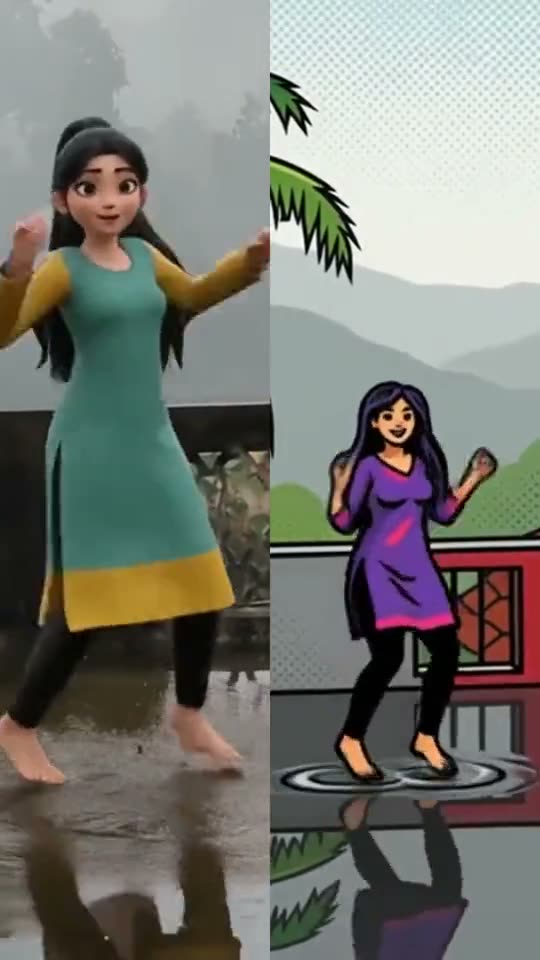
Two clips on one screen tell a story that one clip cannot: before and after, you and a friend dancing the same steps, a child's drawing next to the real thing. The side-by-side tool does it in a minute, with no editor to learn.
How to use it
- Open Create, choose Quick video tools and then Side by side.
- Pick two videos. Each can be up to 30 seconds.
- Choose one above the other or left and right.
- Choose the sound: the first clip, the second clip, or none.
Ideas
- Before and after: a room cleaned, a garden grown, a cake from batter to table.
- Same dance, two places: two cousins in two countries doing the same steps.
- Original and restyled: a clip next to the same clip after restyling it.
The video ends when the shorter clip does, so both stay in step. Each clip fills its half, so a tall phone video in a half-screen is cropped to the middle. Quick video tools use no AI and no credits. You can make up to 20 a day, free.
Frequently asked questions
How long can each clip be?
Up to 30 seconds.
Which sound do I hear?
You choose the first clip, the second clip or none.
What if the clips are different lengths?
The result is as long as the shorter one.
Is it free?
Yes, with no AI and no credits.